
How to Get Internet in a Detached Garage
There was a time where the internet was a luxury and you were very fortunate to have it at the office and at home. However, our reliance on technology has evolved to the point where we expect the internet anywhere and everywhere we go. It isn't surprising that more and more homeowners are looking to get internet in a detached garage, even one that is separated from the rest of the home.
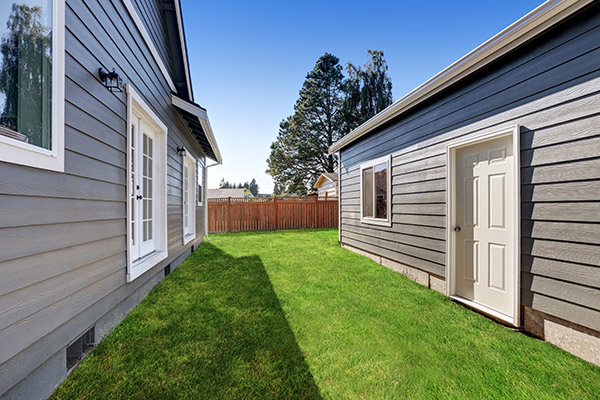
How do you get internet to a detached garage? Well, there are a variety of solutions so read below to find out which strategy works best for your situation.
Why Is the WiFi So Bad in My Garage?
There is an ever-growing desire to have internet connectivity wherever you are in the house, including in the backyard and garage. If you've struggled to get WiFi to reach the garage, you're not alone.
You can take your smartphone or tablet anywhere with you so having a reliable wireless signal is essential. You may be the type of person that spends a lot of time in the garage while checking sports scores, news, reference instructional videos, etc.
Unfortunately, the garage - especially one that's detached from the rest of your home - is notorious for having an unreliable wireless signal. Wi-Fi has a tendency to hit or miss inside a garage. Why? There are a number of potential reasons:
- The network hardware is in a poor location.
- The network and router settings are not correctly configured.
- Network hardware you are using is outdated.
- Firmware on network devices have not been updated.
- Other electronics are interfering with the wireless signal.
You also have to account for the building materials of both the garage and the rest of the home. Homes that have extra thick walls and floors make it more difficult for a wireless signal to get through seamlessly. Furthermore, garages that are built of metal, concrete, or brick can obstruct the signal even more.
3 Ways to Get WiFi to Your Garage
The bottom line is accessing a high speed internet connection from a distant room, especially one detached from the rest of the structure, is a challenge. Wi-Fi signals lose their strength with distance when obstacles like walls stand in the way.
Thankfully, there are some solutions to solving the dilemma of poor internet connectivity. A few of the solutions are basic and cost effective while others will set you back a little with the wallet. Here are the three most common options for how to get WiFi from your house to a detached garage:
- Run a long Ethernet cable from the router to a distant computer, like in a garage. This is one way to get wired internet to a detached garage, though it will force you to bury the cable under the ground and dig a trench. However, the connectivity is not always improved drastically by running it to a detached room.
- Install a Wi-Fi range extender in the detached garage. Another alternative is to buy a second wireless router and configure it as a repeater of the same wireless signal from the home.
- Install a powerline networking kit. The kit includes a bridge that goes into an Ethernet port of the router as well as a switch unit that goes into the distant computer.
It is worth mentioning that none of the above solutions are bullet-proof. Each option presents some types of issues and it's possible that the wireless signal won't improve. However, it doesn’t hurt to try considering all three solutions are relatively inexpensive.

Start Here: Check Your Router and Settings
Before you buy any range extender or powerline networking kit, you should first make sure you have the proper hardware and Wi-Fi configuration. Both of these are simple to test and won't cost you anything but a little time.
Upgrade an aging router or modem. Tech junkies recommend replacing your router or modem every 3-5 years because technology evolves so quickly. If yours is older than three years, it may be time to invest in a newer, more modern device.
Move your router to a central spot. You can also try moving the older router/modem to another part of the house. Generally, you want the router as close to the middle of the home as possible. It provides the greatest signal strength to all of the rooms in the house, but usually it doesn't do much to boost WiFi to the garage or backyard. Some people even try placing a router in the garage itself, though this often requires a wired connection back to the modem.
Tweak your WiFi settings. It isn't always the fault of the hardware. In fact, tinkering with the Wi-Fi settings can potentially improve performance in a garage. Most new routers provide 2.4 GHz and 5 GHz wireless frequencies, so you can try switching between them to see if performance is any better in the garage. If not, you can always switch back.
WiFi Extender for a Detached Garage
A WiFi extender is often the best way to extend WiFi to a detached garage. Extenders are more effective for improving connectivity than trying to move the router, buy a second router, update the hardware, or change the configuration. Extenders are also sometimes referred to as a repeater, booster, or relay. If you hear these terms at an electronics store, know that it basically means the same concept.
Wi-Fi extenders, as the name implies, stretch the reach of the wireless signal from the router. What's cool is that you can actually use more than one extender to expand the Wi-Fi range even further.
Not all extenders are equal. Performance varies from device to device. The quality of the antenna and processor makes some more effective than others, and extenders with dual radios tend to have the best performance ratings.
Check compatibility and consider going outdoor. Make sure the device is compatible with your router. If it features intelligent roaming capabilities, you can expect better performance inside a detached garage. For longer distances, an outdoor WiFi extender can help carry the signal across the yard so the WiFi reaches the garage with a stronger, more reliable connection.
Powerline Network Adapters
How they work. Powerline network adapters are generally sold in a kit. The adapter connects to the electrical circuit of your home through the primary router/modem, then transmits the signal through that same circuit.
Installation is easier than it sounds. Just plug one adapter into the power socket near your router and connect an ethernet cable. Then plug the second adapter into an outlet in the garage, and run an ethernet cable to whatever device you want to connect.
Prefer wireless in the garage? If you'd rather not run an ethernet cable directly to your device, you can also pair the second adapter with another router.
Results depend on your wiring. Powerline network adapters are effective and not terribly expensive. However, performance in the detached garage can vary depending on the quality and age of your home's electrical wiring, as well as the distance from the original powerline adapter.
The Bottom Line
There is no black and white answer when it comes to getting a better WiFi signal inside a garage, especially a structure that is detached from the rest of the building. However, by upgrading the hardware and configuring the settings, you can possibly get a quick fix. If not, consider trying out a WiFi extender or powerline network adapter to extend WiFi to the garage.
Before you set up your internet connectivity in your detached garage, you'll want to consider upgrading. By upgrading your garage to a two car or a three car garage, you'll have more space to fit your motor vehicles. Upgrading to a bigger size garage will give you the flexibility to turn your garage into a garage yoga studio, a man cave, or a she shed. There are no shortages for what you can do with a bigger size garage. Speak to a specialist and get a free quote online today.
Get started with a FREE QUOTE
Complete the form below and a Danley’s representative will be in touch.
*View our privacy policy
Illinois Roofing License Number: 104-017677 | City of Chicago General Contractor License Number: TGC093963